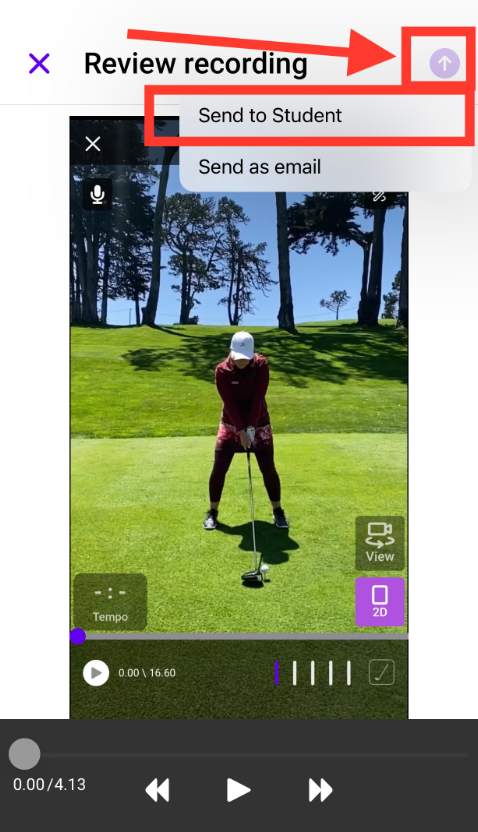
After you record a voiceover and you get to the "review recording" screen, please click on the purple arrow on the top right corner of the screen.
Click that button and it will allow you to "send to student" -> then you will choose the student you would like to send it to -> click send message -> your inbox will open and you can add some text and click the arrow on the bottom right to SEND.
You will see the message load in your inbox and it should arrive in your student's inbox.
NOTE: Creating a screen recording with voiceover is only available on PRO subscription plans