You will need to enter your hip measurement to complete your “Golf Profile.”
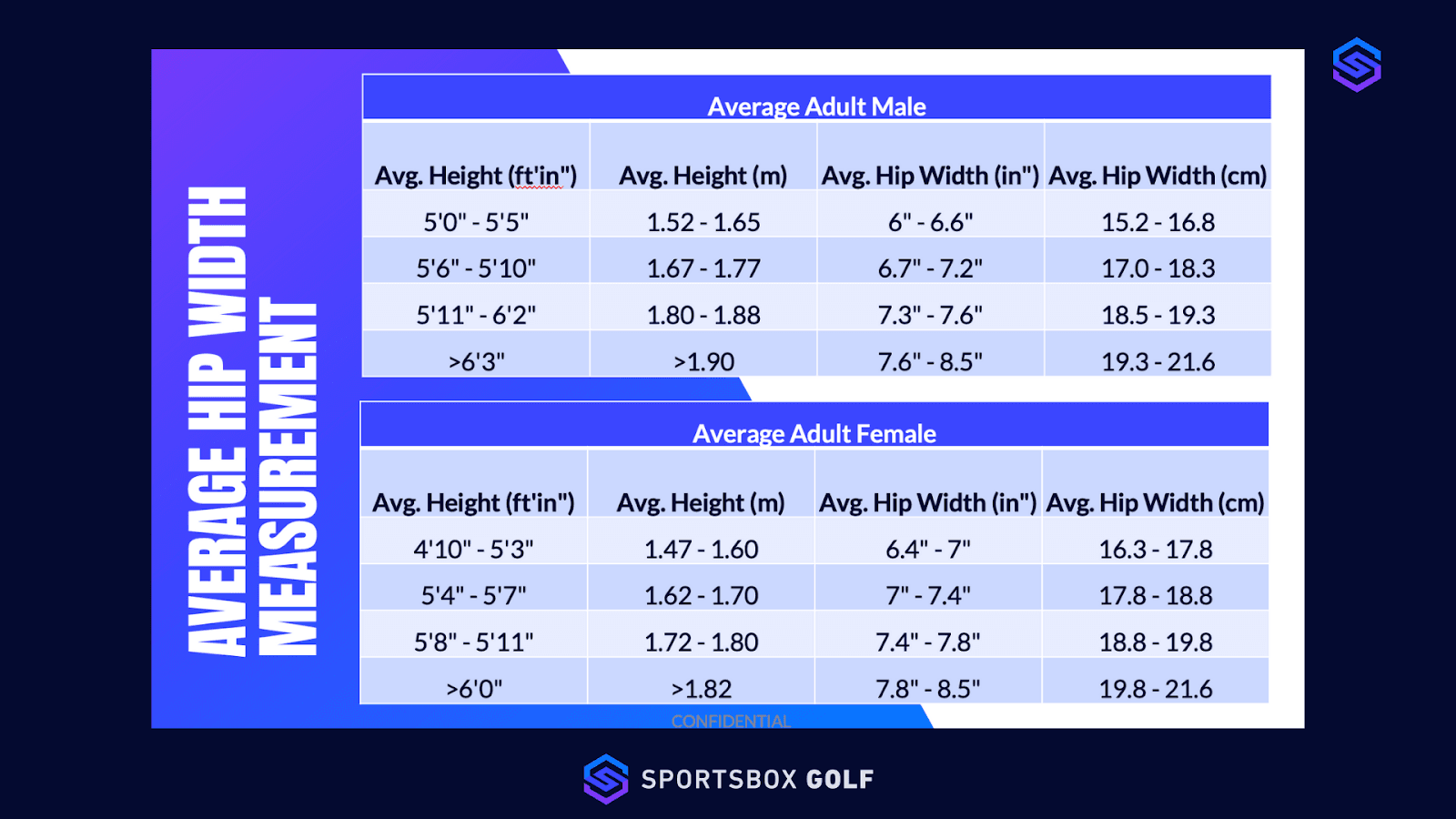
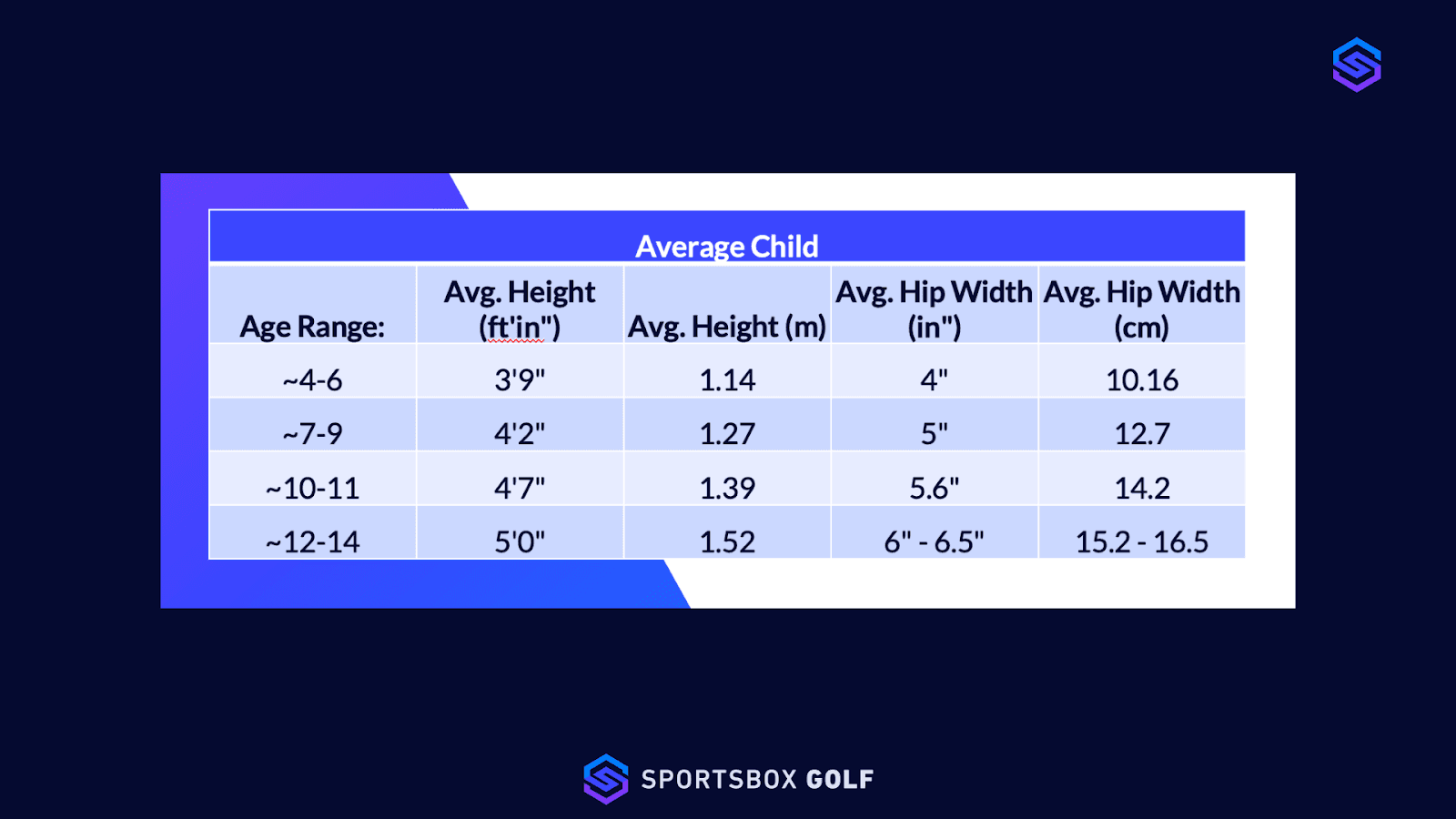
Once you input your gender and height, we will automatically generate your hip width measurements in accordance to this chart.
Caution
Please input your gender and height as correctly as possible. These factors WILL alter your Sportsbox measurements and data.
From the app home screen, go to the “More” tab >> ”Manage Account” >> Save Changes
It’s important to enter hip measurement for every individual that you’re using Sportsbox 3D Golf to measure in the app. We use this to scale and calculate the biomechanical trackers.
*Coaches, please remind your students to update their Golf profiles.