Your Activity Journal: Feeds
Feeds act as a hub, seamlessly integrating various elements such as swings, practice guides, assessments, and much more. By centralizing all these components, you gain a comprehensive overview of your student’s golfing evolution over time.
Caution
The “Sessions” tab is no longer available ; instead, find your student’s session by going into their profile.
Click on the “Students” tab on the bottom of your screen
Find the Student whose session you’d like to see
Scroll through their Feed to find the session OR filter their feed
You can click the funnel-looking “Filter” icon on the top right corner and choose to show “Swing,” “Message,” or “Media” — or, you can choose a combination of the option.
Tap on the cube looking icon in the middle of the video session to return to 3D analysis mode
Coach’s Perspective: What can I do?
Create Content 📝: Create posts in the form of text, photos, and videos on your Student’s Feed immediately following your lesson or later on
Record Swings and Post Updates: Use the floating create button at the bottom of the screen to log swings in 3D or posts of any kind for Students
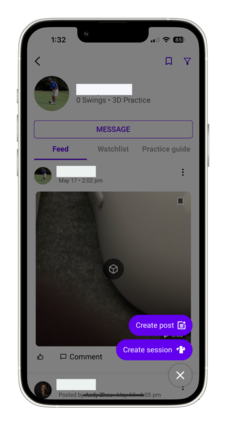
Create content for one Student’s feed or blast it to everyone! You choose who or what group you want to communicate with.
Coming soon⚠️ Downloading videos and sharing posts⚠️
Feedback for Students 🗣️: Comment and like a Student’s post so they can get direct feedback
Engage with students through comments. Clarify with text or media to expedite the learning process.
Coming soon⚠️Reacting to posts⚠️
Assignments 📚: Create take-home materials for students
Student’s Goals and assignment Practice Guides are all displayed in one, centralized location
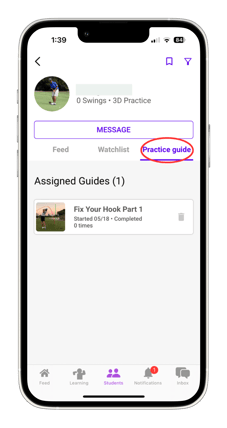
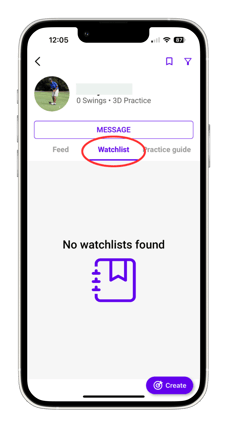
Create drills, goals, notes, recordings of lessons so students can review at home
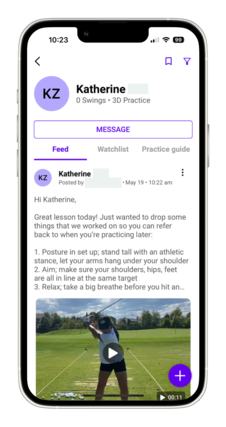
Organization 🎯 :All of the Student’s posts are saved and centralized in one area
Filter content: Use the FILTER ICON

to choose what you want to see in a sea of activity
Save posts: Click on the three stacked dots on the top right hand of a post
Click the SAVE ICON

on a student’s page to visit a their saved post
Note
Tagging and naming is no longer supported. Feeds is a start to our solution to make communication more efficient, technically simple, and visually pleasing when organizing sessions
Stay Updated: Be on top of your Students and stay updated with Sportbox!
Notifications Page: Almost like a to-do list, the Notifications Page gives you a live log on what’s happening with your students and includes promotions and updates from us
Review⏪: Look back on swings, analysis, and content in the future